
Your day,
as a timeline.

Tempo is a day planner built on a timeline. Tasks, routines, workouts and habits are all blocks on your day, and everything stays on your phone.

For iPhone, iOS 15 or later. Free. No account.

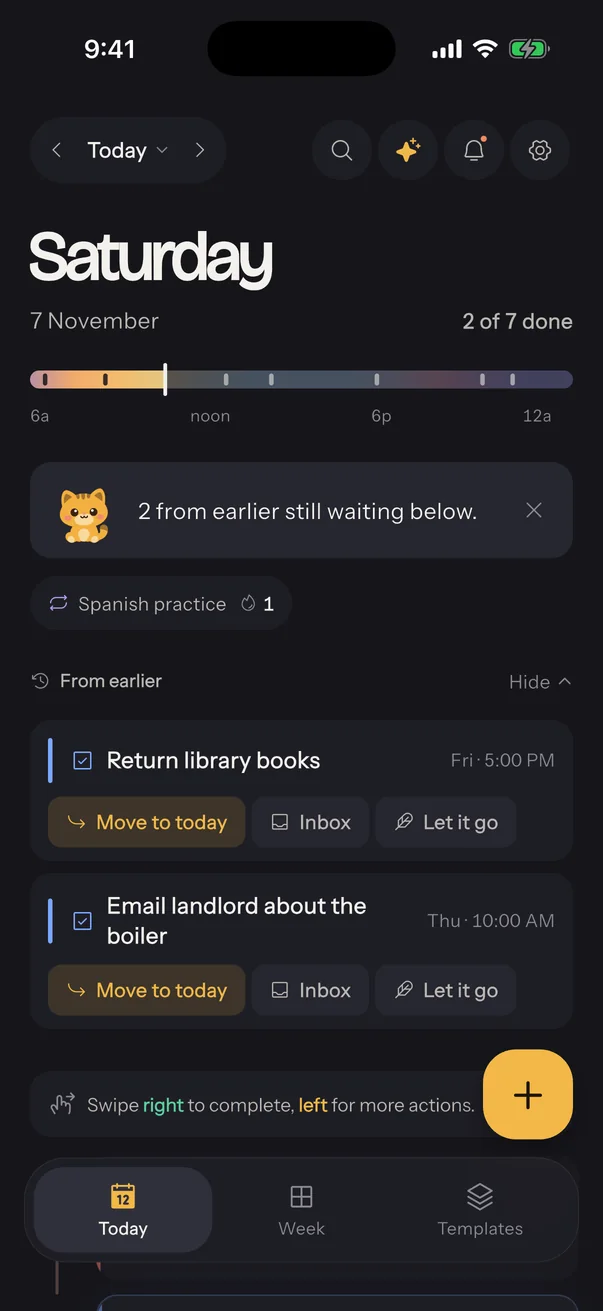
Tempo's Today screen with the day arc, Sol's daily brief and blocks from earlier The New block sheet with Sol offering to fill in the time, repeat and reminder
No accountOpen it and plan. Nothing to sign up for.
No trackingNo analytics, no ads, no profile of you.
No serverYour plan lives on your iPhone and nowhere else.
Today with the day arc and a list of blocks

Today

Everything is a block, in the order it happens.

A run, a meeting, a gym session and lunch sit on one timeline. The colour strip at the top is your day from dawn to night, with a line for right now.

  • Swipe a block right to finish it, long press for everything else
  • Unfinished blocks from earlier wait for you: move, inbox or let go
  • Repeat daily, weekly on chosen days, or monthly, with an end date
Adding a block

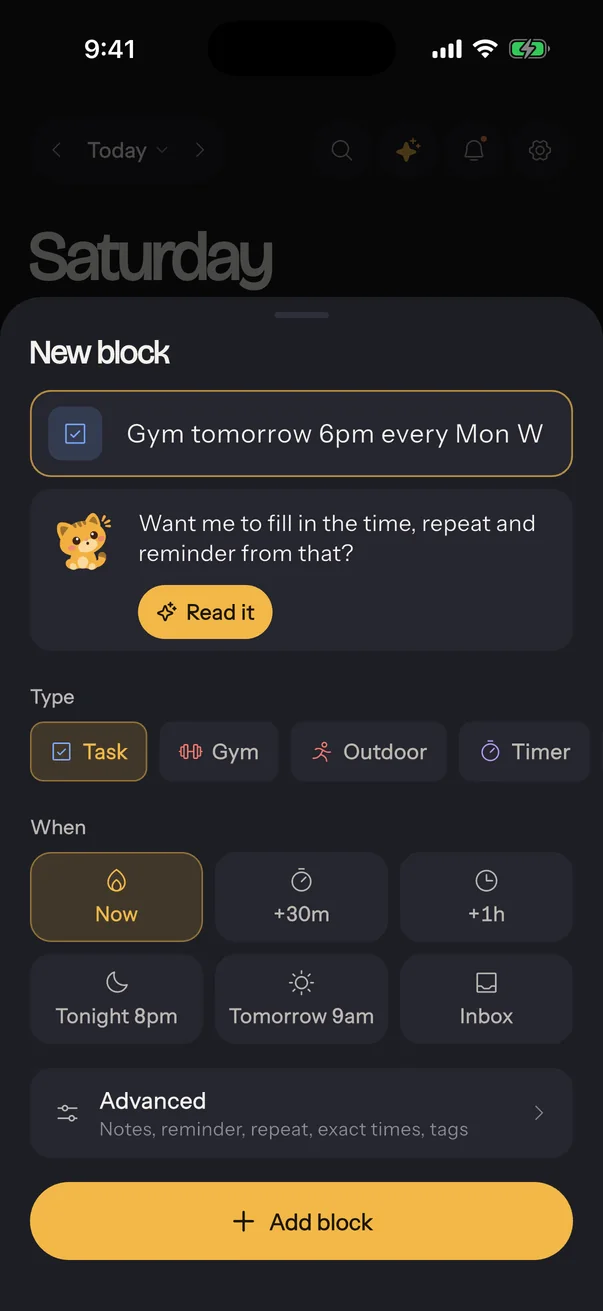
Type it the way you'd say it.

"Gym tomorrow 6pm every Mon Wed Fri, remind me 10 minutes before." Sol reads it and fills in the time, the repeat and the reminder. You check it, then add it.

Reading text uses the optional assistant, on your own OpenAI key. Without it, the quick time buttons do the same job in two taps.

The New block sheet with Sol
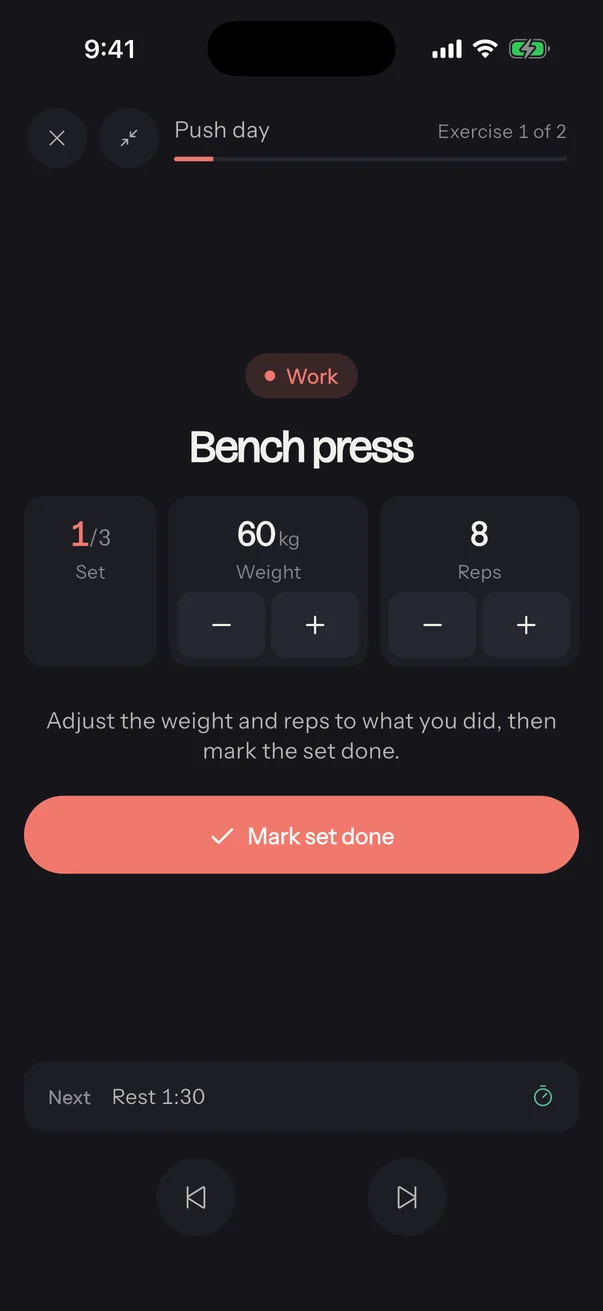
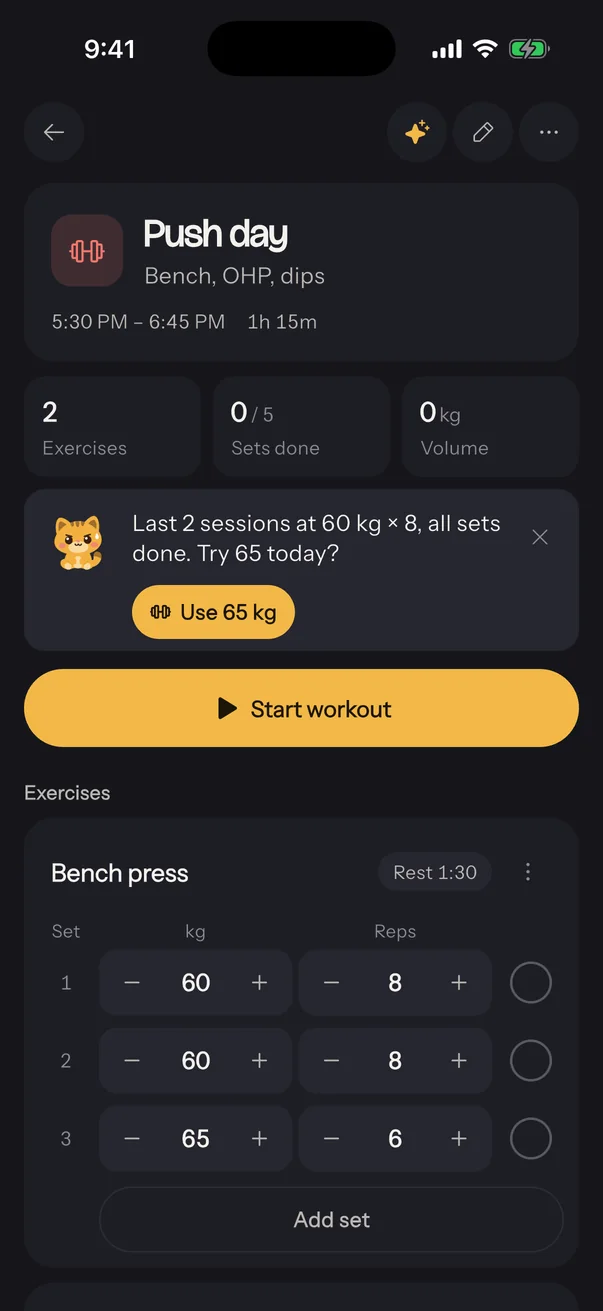
A gym block with exercises, sets and Sol suggesting the next weightThe workout player during a set

Workouts

Log a set in one tap. The rest timer follows you.

A gym block holds your exercises with weight and reps from last time. Mark a set done and the rest starts on its own, in a pill on every screen, with a buzz when it's over.

  • A library of exercises with muscle maps
  • A workout player you can minimise between sets
  • History, best sets and your one-rep max trend for every lift

Templates

Plan a whole week in one tap.

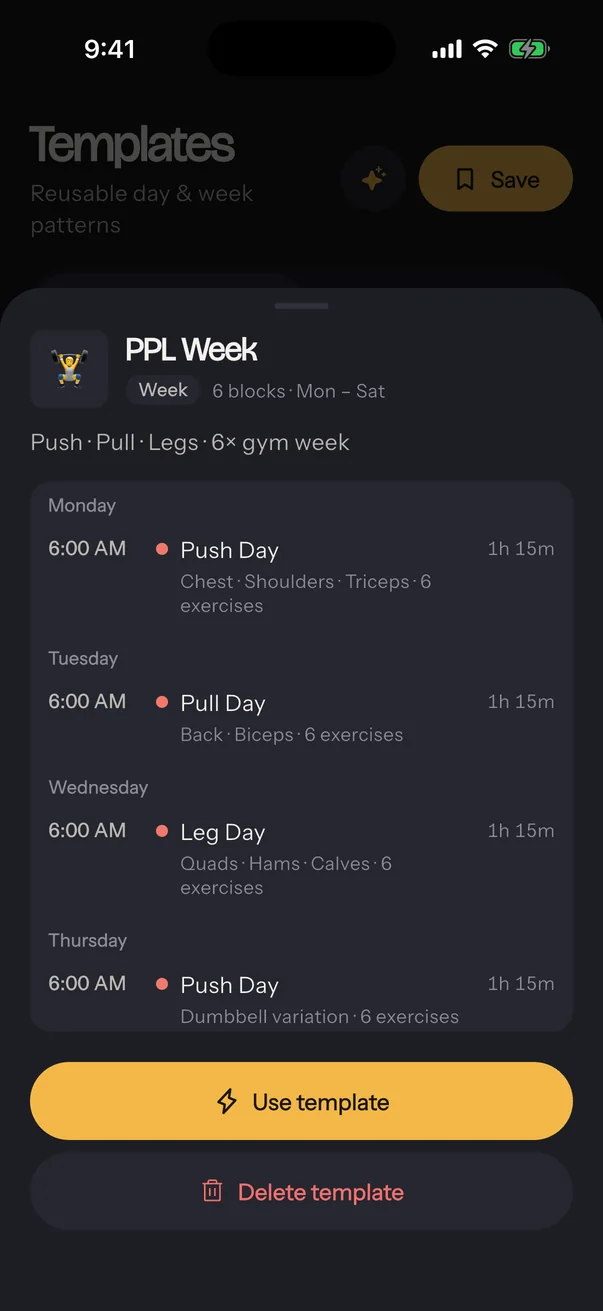
Save a good day or week and apply it again. Starters include a push, pull, legs week with every exercise ready, a morning routine, an evening wind-down and a study sprint.

A week template listing push, pull and leg days
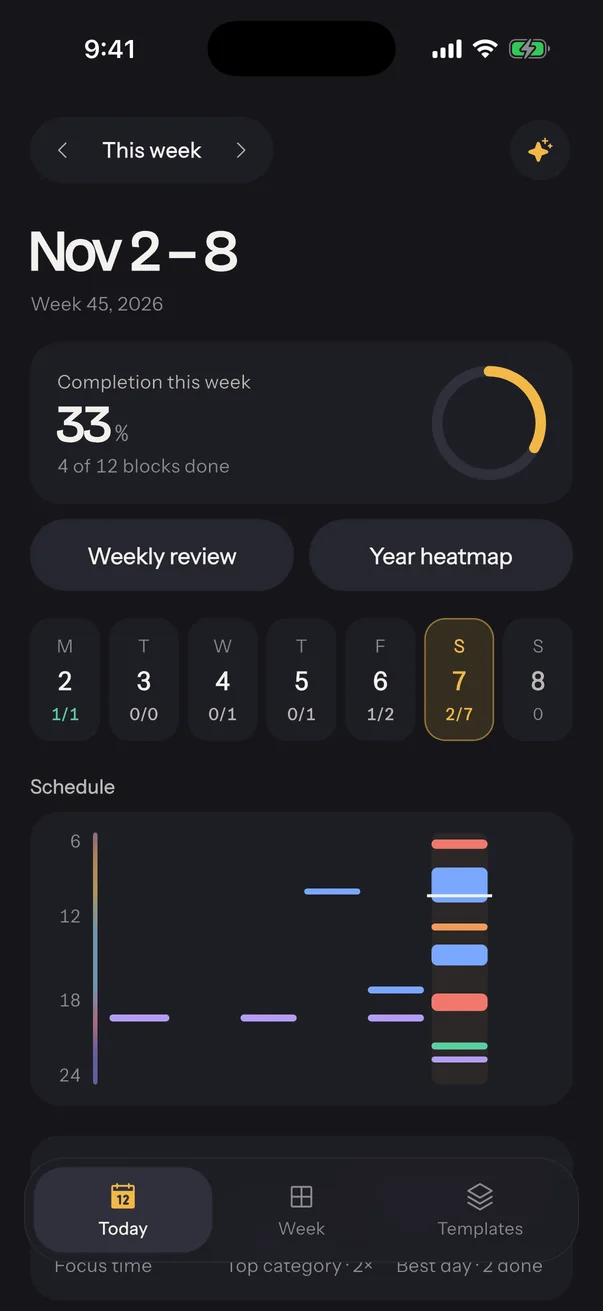
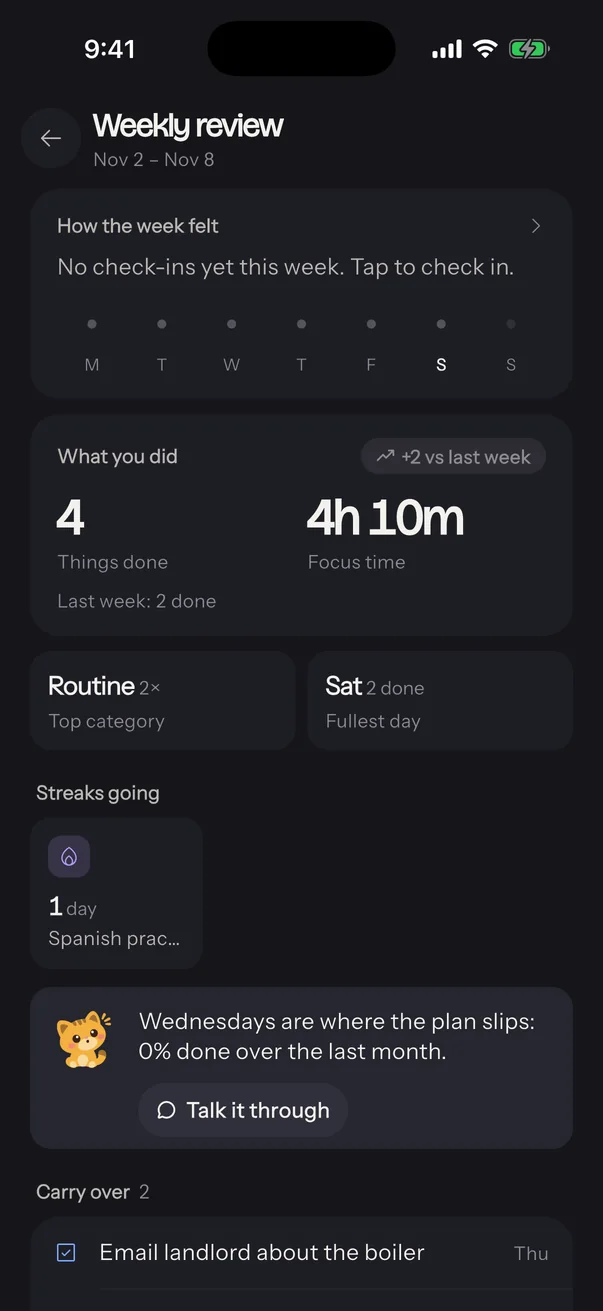
The Week tab with completion and a scheduleThe weekly review with Sol's insight

Week and review

See the pattern, not just the numbers.

The Week tab shows seven days side by side. The weekly review sums up what you did, the streaks that are going, and the one thing the numbers miss, like the weekday that keeps slipping.

Meet Sol

A small cat who notices things.

Sol says one useful line and gets out of the way: a block that ran late, a streak due today, the next plate on your bench press. No cheering, no nagging. Turn Sol off in Settings any time.

Curious"One block ran past its time. Replan the rest?"
Determined"Last two sessions at 60 kg. Try 65 today?"
ThinkingWorking on a reply from the assistant.
Happy"12 sets, 2.4 t moved. That's the session."

Privacy

Your data stays on your phone.

There is no Tempo account and no Tempo server. The developer never sees what you put in the app.

Read the privacy policy

Apple Health, read onlyWeight, steps, sleep and workouts fill your trackers. Health values never leave your iPhone.
Location only while recordingWalks, runs and rides keep their route on your phone.
The assistant is optionalIt runs on your own OpenAI key, asks before sending anything, and every change waits for your approval.
Export everythingOne file with all your blocks, templates and history, whenever you want it.

How Tempo works

17 short sections that explain every screen, from your first block to templates, Sol, the assistant and Apple Health.

Open the guide